We've added support for linking your VRChat account (via MyVRC) and other social profiles directly to your VRCMods account.
Visit Dashboard → Settings → Profile to connect your accounts:
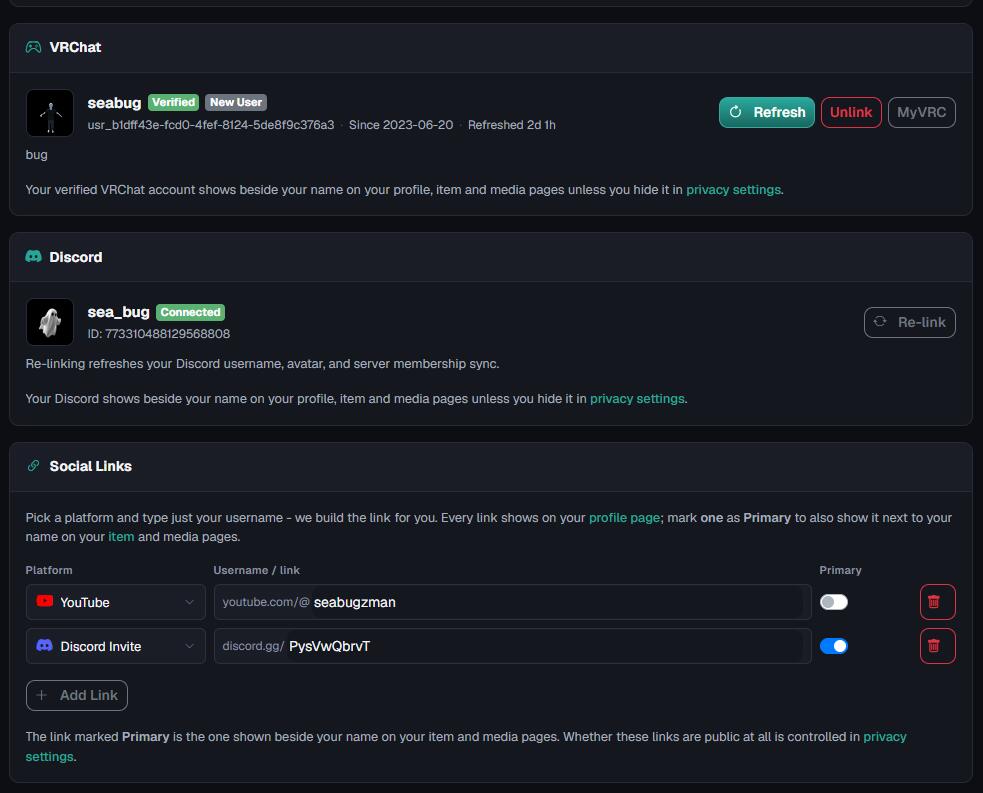
- VRChat
- Discord
- Discord Invite
- YouTube
- Gumroad
- And more coming soon.
Once configured, your VRChat username, Discord, and one featured social link will appear on your upload and media pages. This makes it much easier for people to:
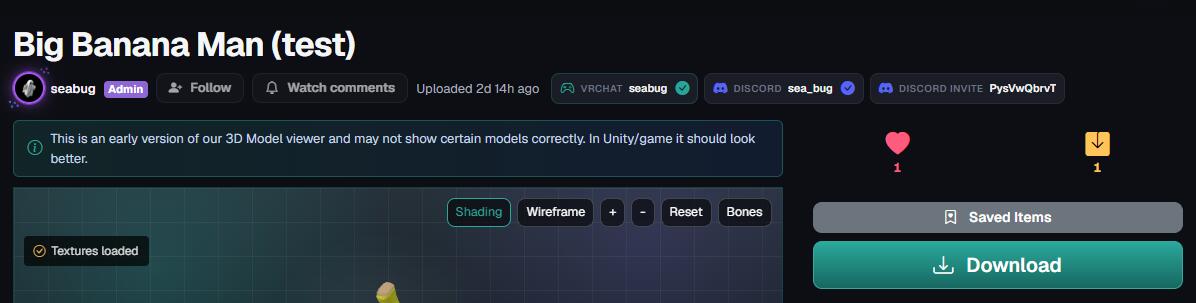
- Contact you
- Join your Discord community
- Support your work through Gumroad
- Discover your other content
Whether you're an avatar creator, world creator, or mod developer, your profile is now a much better way to showcase your community and where people can find you.
Configure your profile here:
https://vrcmods.com/dashboard/settings/profile
More creator-focused profile features are planned in future updates.
