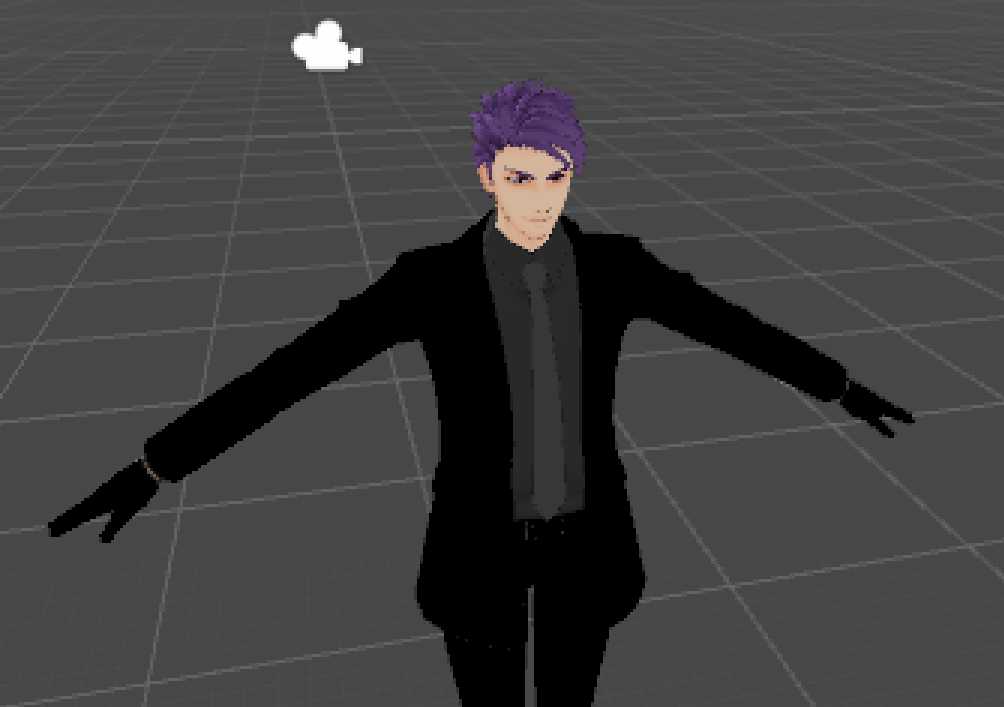
Ciel Wolff - Alt Hair UPDATED 1/28/2018 *LEG FIX*
Download
You can upload this avatar to VRChat See tutorial
Description
File Tree
Loading file tree...







Comments
Not sure why im here or your here but goddam this is an old post
0Super Cool Avatar! But I have the same problems as the others. Hope you have some time to fix it!
0@AvilliumI had to get the original model from DeviantArt and have a friend work with it before we were able to fix the boot buckles and wrist cuffs, and he said that the coat was attached to the waist instead of the hips, which was weird.
0Why are the buckles and coat so scuffed? The front of the coat is constantly inside your body and the straps+buckles are behind the legs. The sleeve ends near the wrists do not bend along with wrist/hand movement
0Are the boot buckles and wrist cuffs going to get fixed? Also, the hands are super awkward, almost like they're constantly just slightly curled, and the fingers dont move at all. I'd love to put this model together for someone, but I don't know how to fix it myself.
0Jotapowa thank you
0@IceFoxx35 Load scene and follow this... https://i.imgur.com/kaEmSSa.png
0I'm having the same issue as Jotapowa, the cuff and buckles don't move and just float around, and the hair/ head mess up as well.
0"Spine Hierarchy missing elements, make sure that pelvis, spine, chest, neck, and shoulders are mapped" is anyone else getting this issues?
0I did what I needed, like the chest and the textures, but when I upload, the avatar looks like this ... https://prnt.sc/ij0q91
0awesome model, but still hoping you update it, problem with buckles on the boots and cuffs on the wrists. thanks in advance.
0https://gyazo.com/e1c36c511698183afb18c74390b8a2d5 need to be fixed :(
0@Kasuno if you have pink model, install Cubed Shaders from FAQ https://www.vrcmods.com/faq
0I like the model but for now, I'll just follow this post
0As stated by TheUnknownM, there are loose meshed around the avatar. Both on the legs and arms it seems.
0@Kasuno in my case the FlatLitToonCore.cginc and FlatLitToonCore.cginc.meta was missing upon loading the scene. Adding it fixed it.
0o lord, i assume the weights are off, ill fix it and update when I have the time
0The hand models are a little wonky but the model itself looks amazing but the hand problem is so severe that I won't use this model as it looks super goofy! If you ever have time, it would be a nice fix but if you're too busy then that's okay. https://imgur.com/a/fiZWL
0The above is the same issue I was having
0https://gyazo.com/b66c607c5c12fd1b3ac3eb96d365b20d
0Screenshot doesn't work
0This is such a fantastic model! I have a issue of this avatar, When i move everything works fine but, Black floating things are on the sides and the leg braces moves with the cape.https://steamuserimages-a.akamaihd.net/ugc/938307470425650809/152FCBEC0C6A9638144E29280F8BADE6334B9D7E/
0Everything should be setup to go, make sure you're loading the scene file. Otherwise click on the model in your Assets folder and goto the Rig tab, then click configure and put the missing elements in the correct place from there
0When I try to upload, it's telling me spine hierarchy missing elements, make sure that pelvis, spine, chest, neck, and shoulders are mapped. How to fix?
0On top of @TheSouthpaw comment above, a part of the sleeves and the eyebrows seem to stay in place when moving around in VR
0Only other issue I found was that the chest wasnt mapped in the rig so I couldnt build and publish..however I was able to rig the chest in Unity
0Awesome, that was fast! checking it out now...
0@TheSouthpaw I'll check it out, thank you for informing me
0Tried out this model in VR (Vive) and noticed there's an issue with the left leg. The ankle bone is set to the toe, causing the knee cap/leg to bend backwards when moving/crouching/sitting. Can you please fix? (I tried editing the bones in Unity..but I'm a noob and still learning)
0If it's all pink, take a look at your materials. It happens, they just have the wrong default settings sometimes.
0^that is what is happening to me.
0Hey so I opened it with Unity but...its just a pink model and I dont know if it will actually you know work >.< so kinda stuck on that
0I can't get it to work at all.
0No problem, I found out, almost done with my model :D Thanks !
0Original materials should be on the original posters DeviantArt in the description, I'm pretty sure.
0Any chance we could get this model with separate materials & textures ? It's the model I was looking for, but I'd love to customize it.
0Hell yeah, let's go!
0