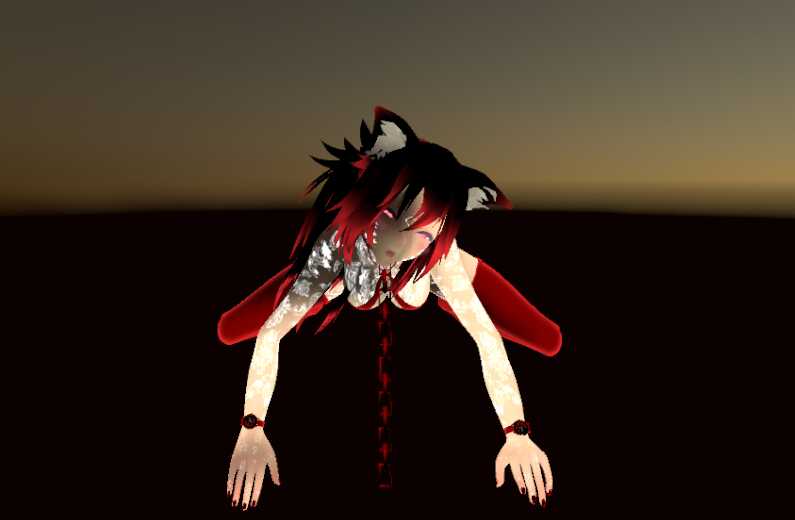
'The Most Cute A.I Chan From Youtube =)
Have EyeTrack, Blink and Lips Sync (all from Blender[CATS])
I Don't Test The Fingers, i think is bugged xD
Tell me if you find any Bugs, Pls ^^
PS: I Put the VRCDescriptor Config in the Pictures ;)
PS 2: if the eyes are white, go to "Materials", select "eye2" and put Rendering mode in "Cutout" ^^
Thanks for this. i followed the below comment by Hayan, while adding the Animation script and linking Blink, and i have to say, it all works wonders. thanks again.
Avatar Setup Guide for wannabe Virtual VR Chatubers1. Drag and drop the model onto the big window in the middle 2. Under Hierarchy, click the model and look to the inspector, then click on Add Component, then add VRC_Avatar descriptor 3. Type in the values in the picture above, both in the Transform and VRC_Avatar descriptor component 4. Click on the Lip Sync then select Viseme Blend Shape, then for Face Mesh, click on the little circle on the right of the text box and select Body 5. Click on each and select corresponding ones. For example, Viseme: sil - vrc.v_sil Or you can use the "Auto-detect Viseme Fix Plugin (For CATS-made visemes) (New)" and skip the steps 4 & 5 6. You are done. Upload the model.
The animations are strange such as the clapping emote with hands clipping through eachother and the mouth also doesnt move. I'm not sure how to fix this as I have no unity experience.
First, i'd like to thank you for this high quality upload along.Now I'd like to reply to the above 2 replies:You don't need a scene file. It takes 2 seconds to set it up. Simple drag the Kizuna4 Prefab(inside of the Kizuna folder when adding the package to Unity3D) into the Hierarchy. Select Kizuna4 the Hierarchy and take a look at the Inspector Panel.Next to Controller, there's a tiny circle on the right side. Click it and find SimpleAvatarController. Now you have control of Kizuna.Further down you will see a "Add Component" button. Clicking it and find > Scripts > VRCSDK2 > VRC_Avatar_Descriptor. Change Default Animation Set to Female.I had to change her scale to 0.39 xyz as she was a horrible 3.5 meters tall. 0.39 scaling makes her the correct 1.56 meters tall.Change "View Position" to the following: X 0 Y 1.42 Z 0.085.Now everything _should_ be ready for in-game use.
How am I supposed to use this avatar? When I download I do not have a scene with the files. I'm pretty new to this, but the tutorial I watched said you find a avatar, download the file and import it into unity, that it comes with a scene. And then you just go to "Build & Publish"

Comments
Thanks for this. i followed the below comment by Hayan, while adding the Animation script and linking Blink, and i have to say, it all works wonders. thanks again.
0Avatar Setup Guide for wannabe Virtual VR Chatubers1. Drag and drop the model onto the big window in the middle
02. Under Hierarchy, click the model and look to the inspector, then click on Add Component, then add VRC_Avatar descriptor
3. Type in the values in the picture above, both in the Transform and VRC_Avatar descriptor component
4. Click on the Lip Sync then select Viseme Blend Shape, then for Face Mesh, click on the little circle on the right of the text box and select Body
5. Click on each and select corresponding ones. For example, Viseme: sil - vrc.v_sil
Or you can use the "Auto-detect Viseme Fix Plugin (For CATS-made visemes) (New)" and skip the steps 4 & 5
6. You are done. Upload the model.
How da heck am I suppose to import the blink animation onto this model? help
0The animations are strange such as the clapping emote with hands clipping through eachother and the mouth also doesnt move. I'm not sure how to fix this as I have no unity experience.
0FYI you need the shaders here: https://github.com/cubedparadox/Cubeds-Unity-Shaders/releases
0First, i'd like to thank you for this high quality upload along.Now I'd like to reply to the above 2 replies:You don't need a scene file. It takes 2 seconds to set it up. Simple drag the Kizuna4 Prefab(inside of the Kizuna folder when adding the package to Unity3D) into the Hierarchy. Select Kizuna4 the Hierarchy and take a look at the Inspector Panel.Next to Controller, there's a tiny circle on the right side. Click it and find SimpleAvatarController. Now you have control of Kizuna.Further down you will see a "Add Component" button. Clicking it and find > Scripts > VRCSDK2 > VRC_Avatar_Descriptor. Change Default Animation Set to Female.I had to change her scale to 0.39 xyz as she was a horrible 3.5 meters tall. 0.39 scaling makes her the correct 1.56 meters tall.Change "View Position" to the following: X 0 Y 1.42 Z 0.085.Now everything _should_ be ready for in-game use.
0No scene file?
0How am I supposed to use this avatar? When I download I do not have a scene with the files. I'm pretty new to this, but the tutorial I watched said you find a avatar, download the file and import it into unity, that it comes with a scene. And then you just go to "Build & Publish"
0When is it able to be added on vr??
0She's Hair and Ribbon can move with Dynamic Bones =)
0does this have dynamic bones?
0can you make the Mirai Akari model please?
0Oh I love it, thx dude uwu
0Ty <3
0it's ok man, be free ^^
0Its okay if i add emotes to her?
0